


Download Nokia Connectivity Cable Driver – data transfer, file transfer, phone to computer, charging via PC, PC Suite alternative
Overview
The Nokia Connectivity Cable Driver for PC is a utility application designed to facilitate seamless communication between Nokia mobile devices and personal computers. This driver enables users to connect their Nokia phones via supported data cables, such as the DKE-2, DKU-2, CA-42, CA-53, CA-70, and CA-101, ensuring compatibility across a wide range of legacy and current Nokia hardware. Its primary purpose is to serve as a bridge for data transfer, allowing users to move files, images, videos, and music between their mobile device and computer without relying on the older Nokia PC Suite.
For individuals who need to manage media files, back up important data, or maintain device synchronization, this driver provides a lightweight, dedicated solution. It is particularly valuable for users still operating with older Nokia phones that may not support modern cloud-based synchronization or USB OTG protocols. The driver also supports charging through the computer’s USB port, offering a convenient alternative to standalone chargers, especially in environments where power outlets are limited.
Target users include tech-savvy individuals, legacy device users, and professionals managing large volumes of media or device data. While the developer, Nokia, is not detailed beyond the name, the app’s presence in the utilities category suggests a focus on system-level functionality rather than end-user interaction. The driver plays a key role in the broader ecosystem of device connectivity, filling a niche for users who prioritize reliability and compatibility over advanced features.
Key Features & Functionality
- Data Transfer Support – Enables file transfers between Nokia phones and Windows PCs using supported connectivity cables, allowing users to move photos, documents, music, and videos without third-party software.
- Charging via PC USB Port – Allows users to charge their Nokia devices through the computer’s USB port, providing flexibility for use in offices, travel, or low-power environments.
- Cable Compatibility – Designed to work with multiple Nokia-specific cables including DKE-2, DKU-2, CA-42, CA-53, CA-70, and CA-101, ensuring broad hardware support.
- Windows Integration – Seamlessly integrates with various versions of Windows, simplifying setup and minimizing user intervention during installation.
- PC Suite Alternative – Offers a streamlined solution for users seeking to avoid the overhead of full PC Suite installations while maintaining core functionality.
For example, a photographer using an older Nokia phone can connect the device via the CA-53 cable, transfer high-resolution images directly to a Windows machine, and continue working without needing cloud storage. Similarly, a traveler can charge their phone while using a laptop during a long flight, using only the USB cable and computer power. The driver’s functionality is purpose-built, focusing on reliability and compatibility rather than feature bloat.
Interface, UX & Performance
The Nokia Connectivity Cable Driver operates primarily as a background system component rather than a user-facing application, which means it does not include a traditional graphical interface. Users interact with it indirectly through Windows’ device manager and USB connection prompts. This design aligns with its role as a driver, prioritizing system-level functionality over visual polish.
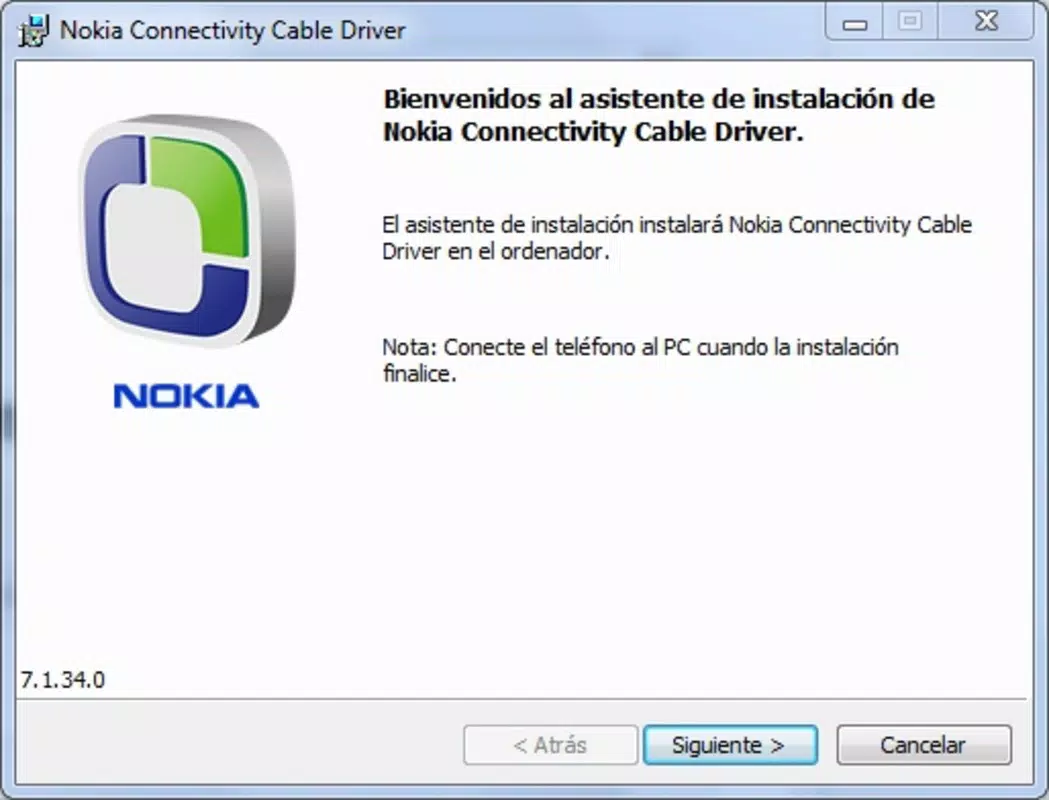
Installation is straightforward, typically involving a simple executable run followed by system recognition of the connected device. Once installed, the driver automatically activates when a compatible Nokia cable is plugged into a Windows PC. The user experience is minimal, with no configuration required for basic operations such as file transfer or charging.
Although the developer did not list formal performance metrics, the driver’s lightweight nature—15.6 MB in size—suggests low resource consumption. It is designed to run efficiently in the background without impacting system performance. Responsiveness is tied to the underlying USB stack and Windows OS, but users can expect stable behavior on systems meeting the required specifications. Stability is maintained through consistent driver updates and compatibility with multiple Windows versions.
Platform Compatibility & Technical Requirements
The Nokia Connectivity Cable Driver is designed for the Windows platform and is compatible with various versions of the Windows operating system. It supports Windows-based desktops and laptops, making it accessible to a wide range of users. The software version is 1.0.0.2, indicating a stable, well-tested release.
The file size is 15.6 MB, which is relatively small for a driver package, suggesting minimal installation footprint and fast download times. This makes it suitable for users with limited bandwidth or storage space. The developer did not specify minimum OS requirements, nor did they list specific hardware prerequisites beyond the need for a compatible Nokia cable and a USB port.
Compatibility information was not fully disclosed, so users are advised to ensure their Windows system is up to date and that the correct cable model is used. The driver is free to download and install, removing financial barriers to access. For users seeking a secure, official tool for connecting Nokia devices to PCs, this driver provides a reliable, official solution.
Pros and Cons
Pros
- Free to download and use, making it accessible to all users.
- Lightweight at only 15.6 MB, ensuring fast installation and minimal system impact.
- Supports multiple Nokia connectivity cables, enhancing hardware versatility.
- Functions as a PC Suite alternative, reducing dependency on large software suites.
- Enables both file transfer and charging via PC, offering dual utility.
Cons
- No visible user interface, which may confuse users unfamiliar with driver-based systems.
- Compatibility details for specific Windows versions were not provided.
- Only supports Windows, limiting use on macOS or Linux systems.
- Designed for legacy Nokia devices, which may not appeal to users with newer smartphones.
- Requires a physical Nokia connectivity cable, which is not included with the driver.
FAQ
Is the Nokia Connectivity Cable Driver safe to install?
Yes, the driver is officially developed by Nokia and distributed through trusted channels. It is free of malware and designed to work securely with Windows systems.
Can I use this driver with any USB cable?
No. The driver is specifically designed for Nokia-branded connectivity cables such as the DKE-2, DKU-2, CA-42, CA-53, CA-70, and CA-101. Generic USB cables may not be supported.
Do I need to install this driver every time I connect my phone?
No. Once installed, the driver remains active and automatically recognizes compatible Nokia devices when connected via a supported cable.
Is the driver compatible with Windows 11?
While the developer did not specify compatibility details, the driver is designed to work with multiple Windows versions and is expected to function on Windows 11 systems.
Can I use this driver to transfer files from my Nokia phone to a Mac?
No. The driver is only available for Windows and is not compatible with macOS or Linux operating systems.
Final Thoughts
The Nokia Connectivity Cable Driver stands as a reliable, no-frills solution for users who need to transfer files or charge their Nokia devices through a Windows PC. Its lightweight design, official backing, and support for multiple cable types make it a practical tool for legacy device management. While it lacks a graphical interface and is limited to Windows, its core functionality is solid and well-executed.
For anyone still using older Nokia phones and seeking a secure, free alternative to PC Suite, this driver delivers real value. It simplifies data access and device maintenance without unnecessary complexity. If you own a compatible Nokia device and rely on wired connectivity, this tool is essential.
Download Nokia Connectivity Cable Driver now


